Agent 64: Spies Never Die Co-Op Campaign Guide
Two-player couch co-op and four-player online missions — setup, roles, and progression.
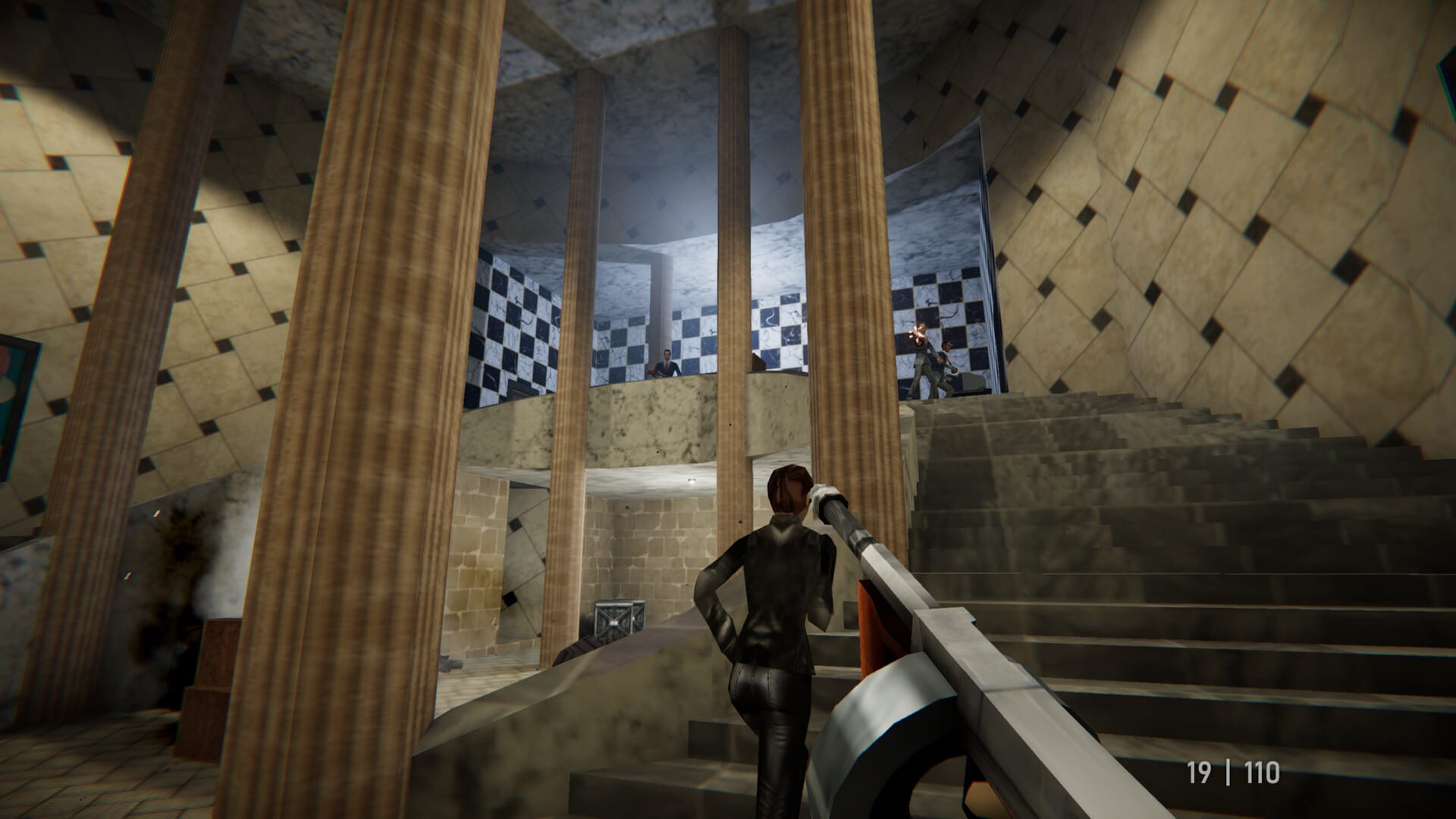
Cooperative play is one of the main reasons to own Agent 64: Spies Never Die. Replicant D6 built the entire 14-mission campaign for solo agents and squads alike, with two-player local split-screen and four-player online sessions sharing the same objectives, keycards, and optional intel pickups. This guide walks through every setup step, explains how progression syncs between hosts and guests, and offers mission tactics that prevent friendly frustration.
Co-op formats at a glance
Agent 64 supports three cooperative formats:
Local split-screen (2 players) — One PC, two controllers, shared screen divided vertically or horizontally depending on settings. Ideal for couch sessions and Steam Remote Play Together streams.
Online co-op (up to 4 players) — Host creates a lobby, invites friends via Steam or in-game join codes, selects mission and difficulty, then launches. Each player runs the game on their own machine.
Contracts co-op — Remix missions with alternate objectives and bundled Paradox presets. Follows the same player counts as standard story co-op.
Competitive Arena modes are covered separately in the Arena Modes guide. This page focuses on story progression and Contracts.
Setting up local split-screen co-op
- Connect two X-input compatible controllers (Xbox layout pads are the most reliable on PC).
- Launch Agent 64 through Steam and reach the main menu.
- Select Cooperative mode.
- Enable split-screen when prompted; Player 2 presses Start or the equivalent join button on the second controller.
- Host picks mission, difficulty (Agent, Secret Agent, or 64 Agent), and optional Paradox modifiers.
- Start the operation — the game splits the viewport and assigns independent reticles.
If Player 2 cannot join, verify the second controller is recognized in Steam’s controller settings before opening the mission select screen. Keyboard plus controller hybrids work for solo practice but split-screen expects two gamepads for smooth aim assist behavior.
For internet friends joining a local session, see Split-Screen & Online for Steam Remote Play Together limitations and latency tips.
Setting up online co-op
- From the main menu, choose Cooperative then Online.
- Host creates a Private lobby for friends-only or Public if you want random agents.
- Invite through Steam overlay or share the lobby browser entry.
- Wait until all players show ready — Agent 64 displays loadout and difficulty confirmation per player.
- Host selects mission and difficulty; guests vote informally since host finalizes.
- Launch mission — loading screens sync checkpoints across the squad.
Hosts should pick difficulty based on the newest player unless the group agrees to carry a rookie through 64 Agent tier missions. Higher difficulties add enemies, optional objectives, and tighter par times that unlock Paradox cheats faster but punish unprepared squads.
Progression and unlock sync
Mission completion typically credits all participants with clear status, but individual par-time medals and cheat unlocks remain personal. If you join a friend who has cleared more missions, you can still play later stages together while you catch up on personal unlocks during solo runs.
Paradox modifiers follow account-wide unlock rules: guests may play with cheats enabled by the host even if they have not earned those modifiers solo. Hosts should communicate before enabling Melee Disarms or Paradox Mode weapon cycling during serious progression nights.
Roles and communication
Classic spy mission roles still apply:
Entry — First through doors, draws guard attention, secures initial room control.
Support — Covers angles, completes simultaneous console hacks, revives or resets failed stealth segments depending on mission design.
Objective — Prioritizes mission-critical items (briefcases, keycards, satellite uplinks) while others suppress enemies.
Use ping or voice comms for guard patrol callouts. Agent 64’s modernized AI flanks more aggressively than N64-era shooters; split-screen partners should call rotations before separating.
Difficulty and optional objectives
Each mission includes optional tasks on higher tiers — extra rooms, additional hostages, or timed escapes. Co-op makes these manageable because players split coverage. Assign optional routes before splitting up to avoid doubling back through alarm-triggered sections.
64 Agent difficulty is the true co-op endgame: stacked objectives, dense enemy placements, and cheat unlock requirements tied to performance. Learn routes solo on Agent first if your squad is mixed skill.
Paradox modifiers in co-op
Unlocked modifiers from the Cheats hub alter co-op dramatically:
- Big Heads — Easier headshots, useful for teaching newcomers aim fundamentals.
- Slow Bullets — Dodge projectiles together; hilarious but slows mission pacing.
- No Reloads — Sustained suppressive fire during escort segments.
- Melee Disarms — Forces coordinated rushes; disable for stealth missions.
Enable modifiers in the pre-mission lobby. They persist across checkpoint reloads within the same session.
Common co-op issues
Desync on interactables — One player should interact with mission-critical doors first; others cover. Reload checkpoint if objective flags fail.
Split-screen HUD clutter — Lower HUD scale in Settings Reference for readable vertical split.
Online dropouts — Host migration may not exist; finish tough segments before players leave. Re-invite from Steam after disconnects.
Performance dips in 4-player online — Lower shadow quality on host machines; see System Requirements.
Mission flow tips
- Revive or wait mechanics: do not race ahead into trigger volumes that lock out trailing partners.
- Share ammo pickups consciously — suppressed weapons conserve shared reserves on stealth segments.
- Mark alarm panels before splitting — modern AI reinforces faster than retro nostalgia suggests.
- After mission clear, review par times individually to plan Paradox unlock grinding sessions.
Related guides
- Multiplayer Hub — overview of all social modes
- Arena Modes — competitive break after campaign nights
- Getting Started — controls and first mission walkthrough
- Review Roundup — critic notes on co-op balance at launch
Frequently Asked Questions
Quick answers to the most common questions.
How many players can play campaign co-op online?
Up to four players can complete story missions and Contracts together online. Local co-op supports two players via split-screen.
Does the host control difficulty and cheats?
Yes. The host selects mission, difficulty, and active Paradox modifiers before launch. Guests play under those settings.
Can I play co-op if I have not unlocked a mission?
In most cases you can join a host who has unlocked later missions, but personal progression and par-time rewards still track individually.
Is voice chat required?
No, but coordinating guard patrols and optional objectives is much easier with voice or Steam overlay chat.